Free to use · Open source · Self-hosted
A pretty good data room for early founders.
A room your investors can find their way around, and a fundraising workspace that tells you what to do next. It is free, and runs on your own server: one command to install, one file of data, no passwords.
curl -fsSL https://raw.githubusercontent.com/antistud/pretty-good-dataroom/main/install.sh | sudo bash -s -- room.example.com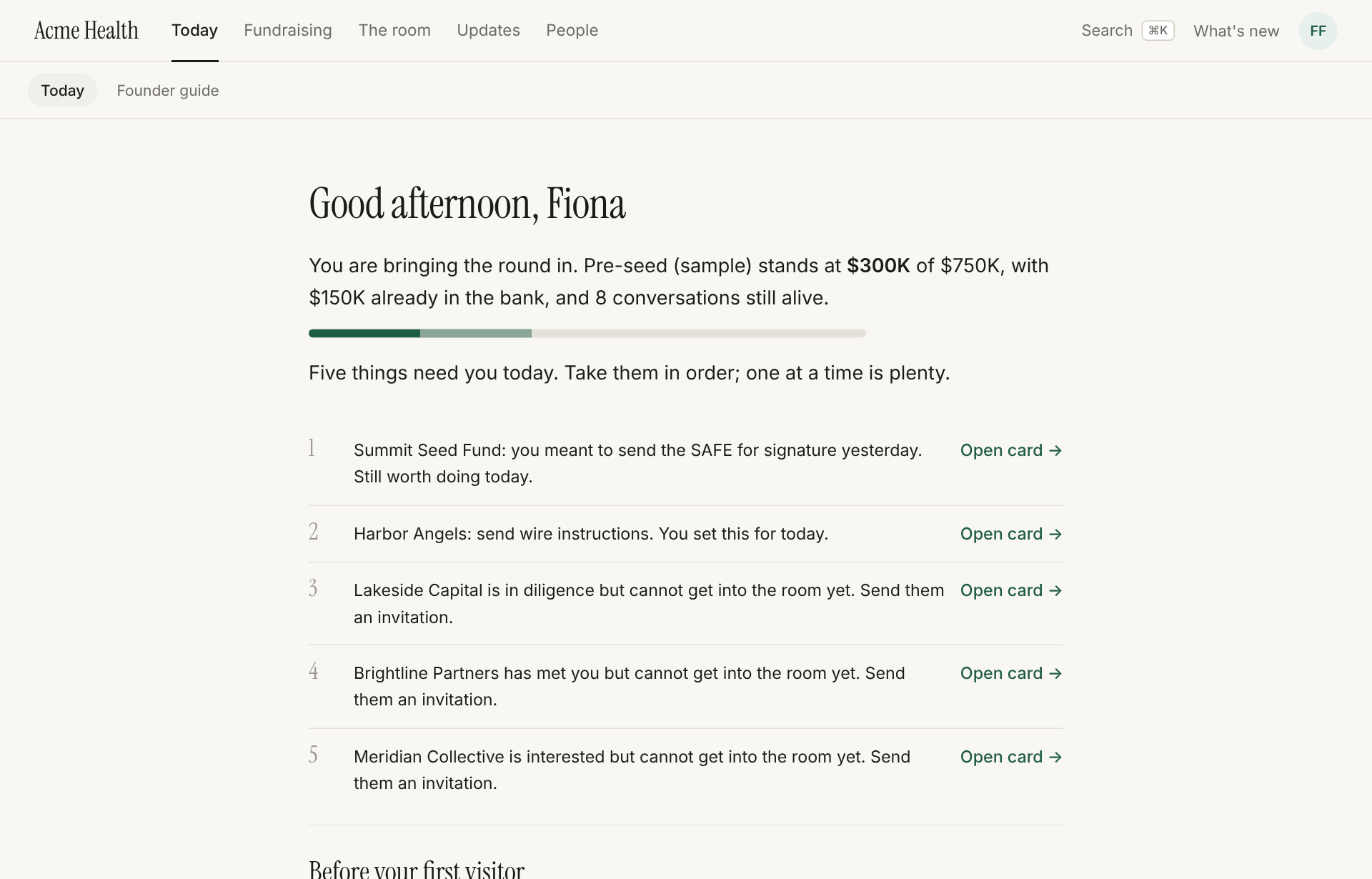
For your investors
A letter from you, what is in the room, and one question: what do you need, and by when? No checklists and no chasing. Monthly updates arrive by email, and anyone can ask for a document or offer an introduction.
For you
A small CRM that walks each investor from first contact to wire, raises their access as the conversation gets serious, and nudges you when the monthly update is due. It explains what founders usually do at each step.
It tells you what to do next
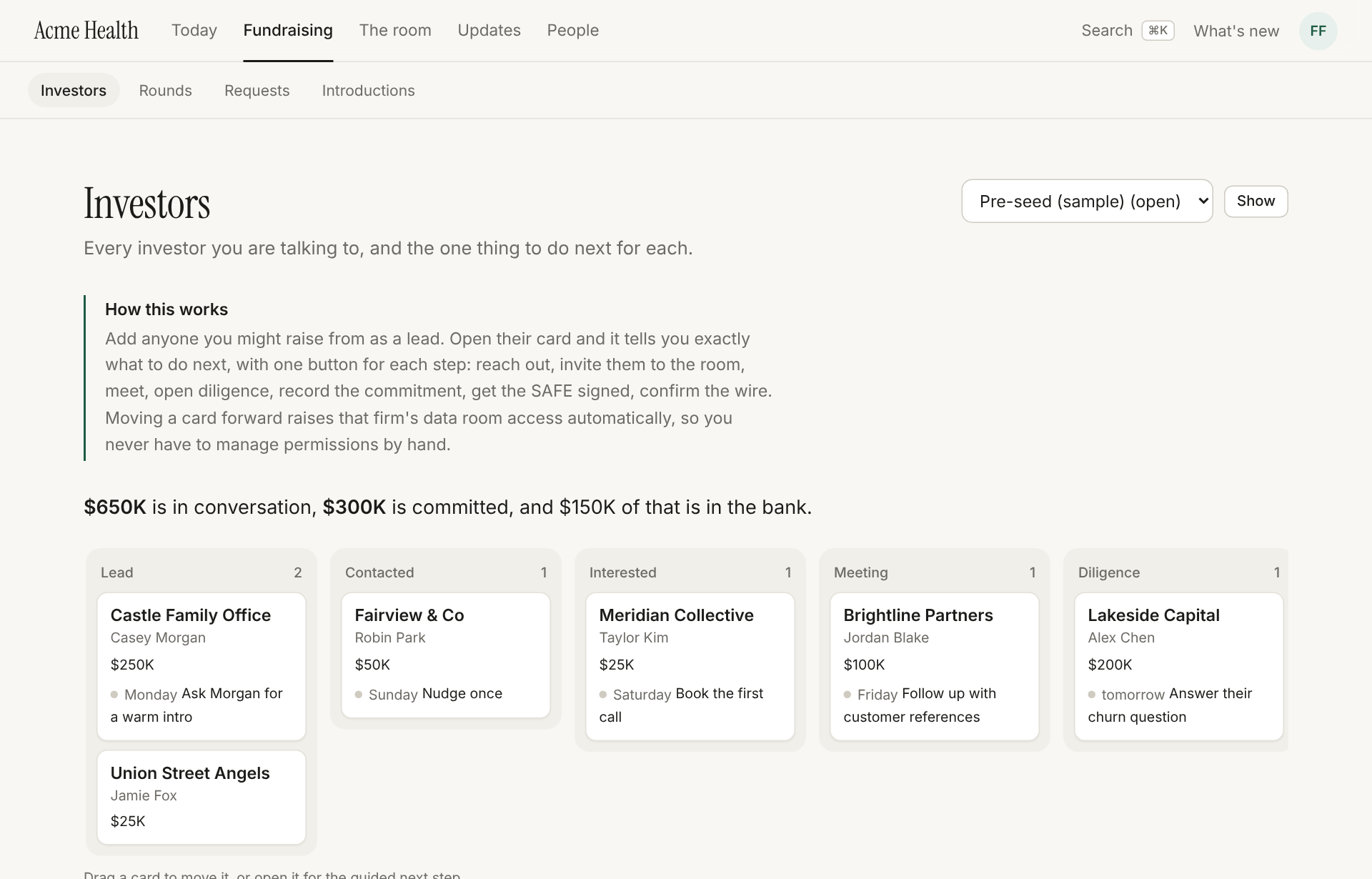
Every investor has a card, and every card has one next step: reach out, invite them, meet, open diligence, record the commitment, get the SAFE signed, confirm the wire.
Moving a card forward raises that firm's access to match, so you never manage permissions by hand.
It plans the round with you
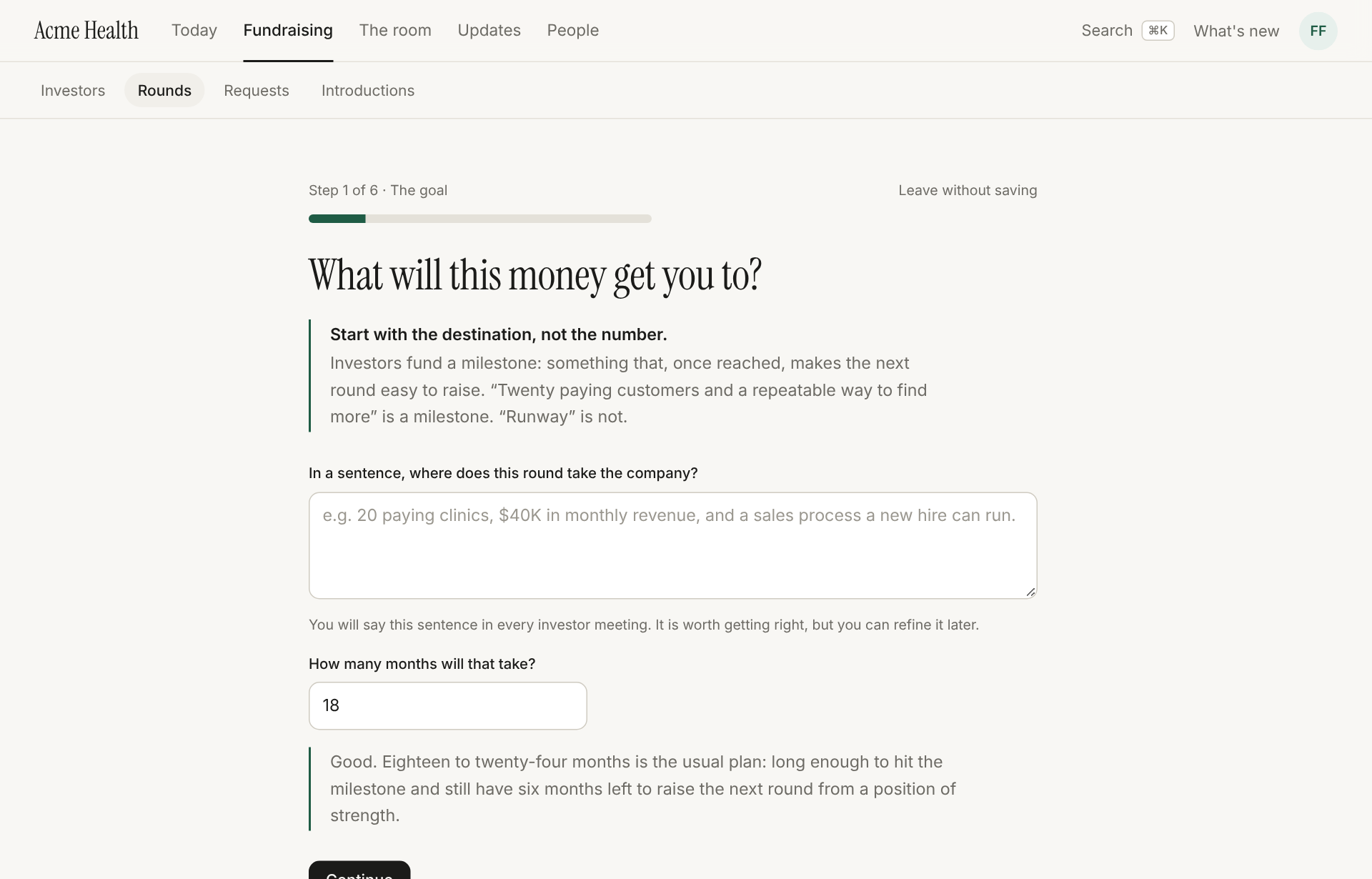
The round planner asks what the money is for, then works out how much to raise and at what cap from your own numbers. At each step it says what founders usually do and why.
A cap table that does the SAFE maths
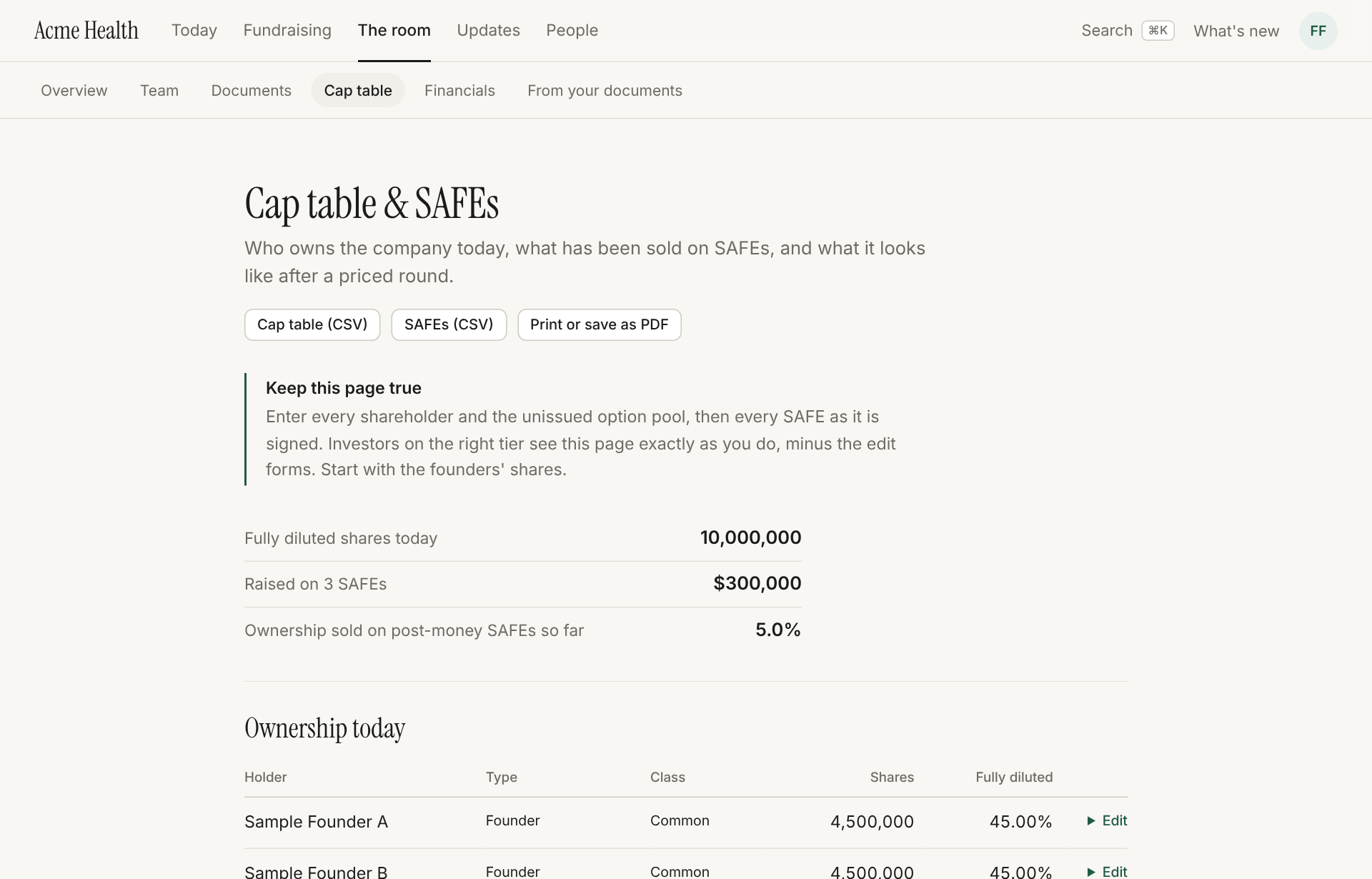
Shareholders, the option pool and SAFEs with caps, discounts and MFN, plus a view of what everyone owns after a priced round. Investors see only what their access level allows.
It is a planning aid. Have a lawyer confirm the real conversion.
Bring your own AI
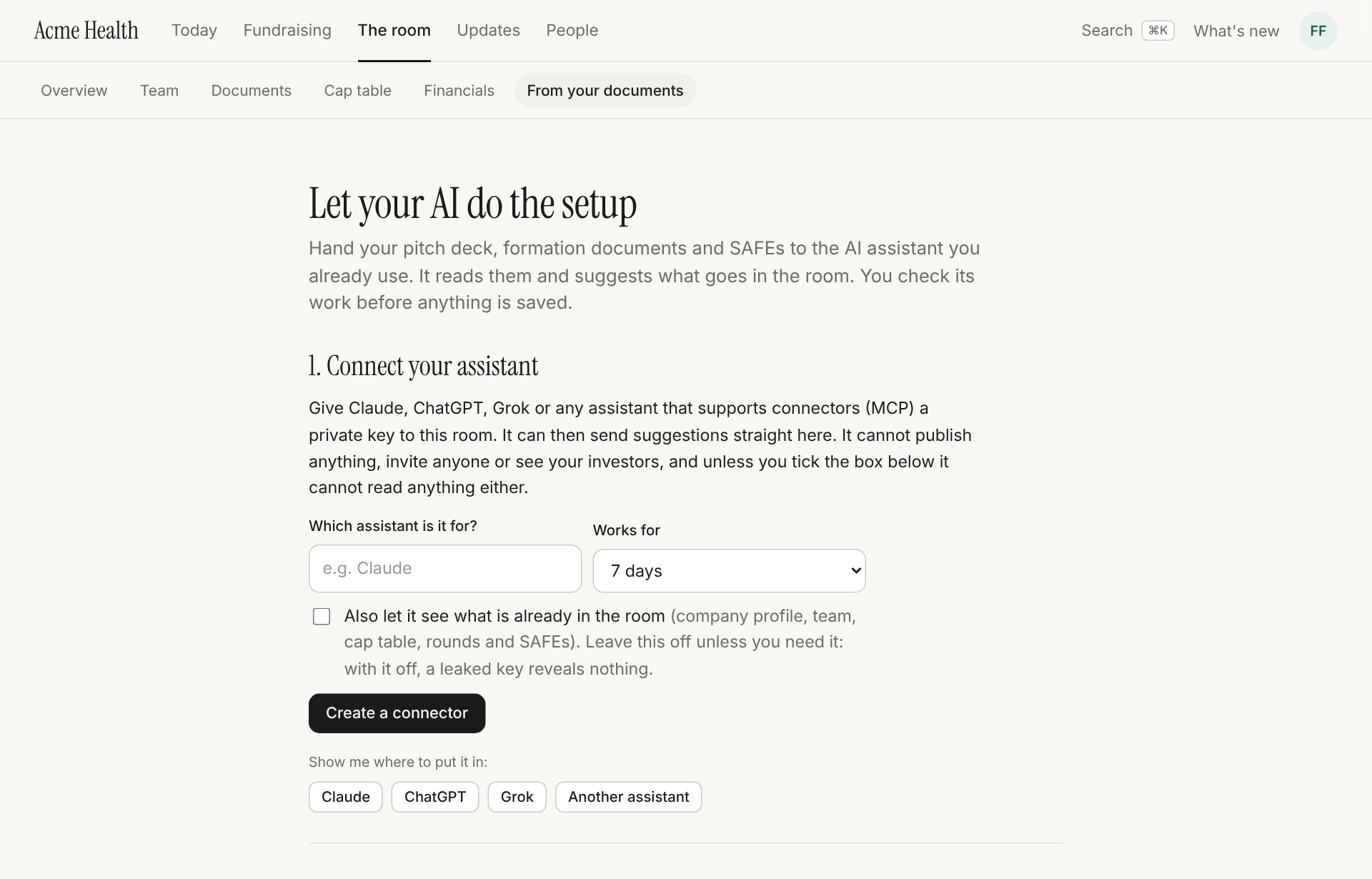
Nobody enjoys retyping a cap table. Connect Claude, ChatGPT, Grok or any assistant that supports MCP, hand it your deck and formation documents, and it suggests what goes in the room. You tick what is right before anything is saved.
The app contains no AI and sends your files nowhere. How the connector works
Updates that reach the right people
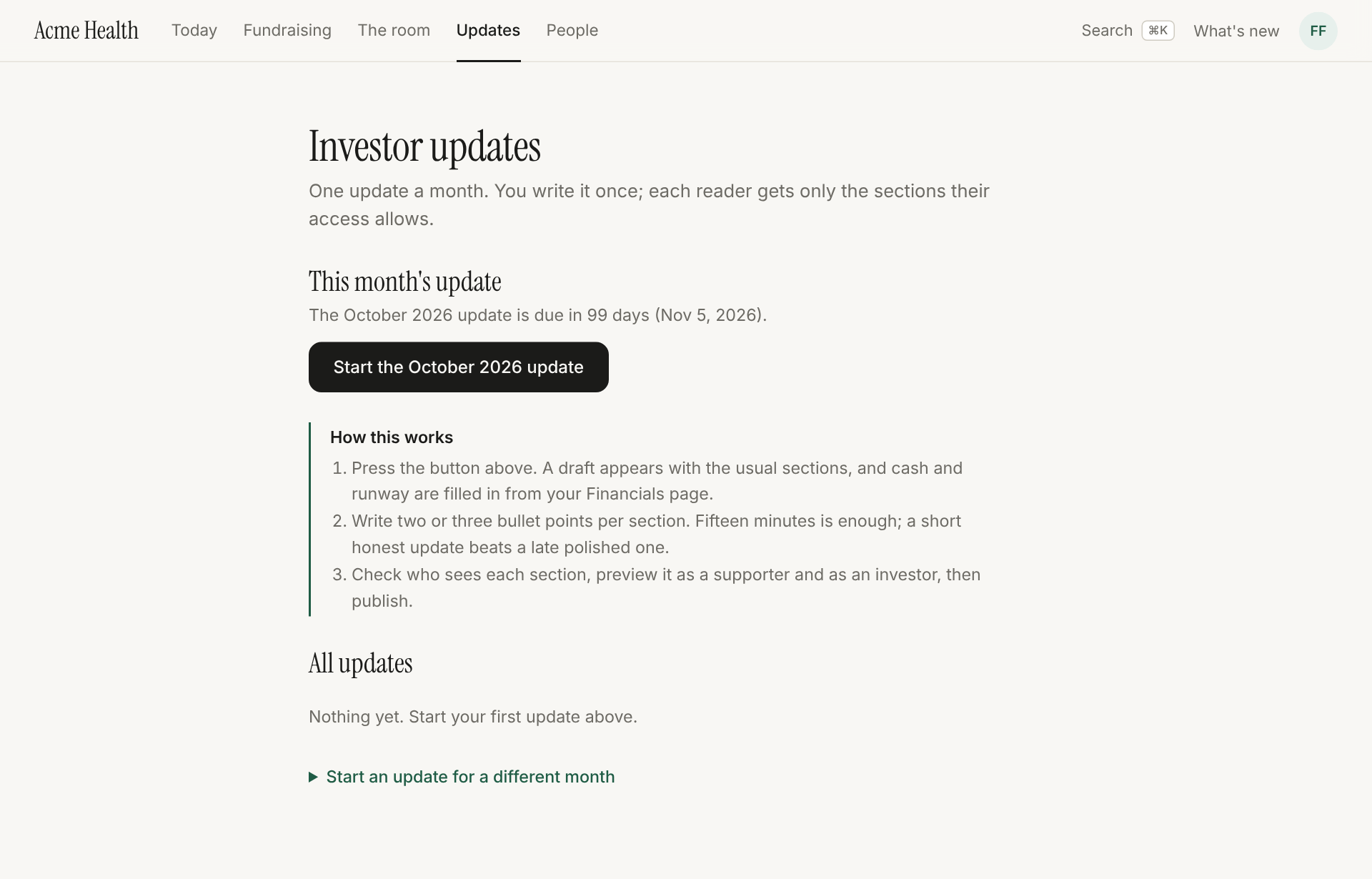
Write one monthly update. Each section has its own audience, so supporters, early conversations and committed investors each see the right amount. Preview it as any reader, and see who read it.
Supporters who are not investors can follow along too, and every update carries the introductions you are looking for.
Everything a first raise needs
- Documents Folders ready for a pre-seed raise, versions, and PDFs watermarked with the viewer's email.
- Access levels Teaser, Diligence and Closing, per firm. Colleagues an investor invites get the same and never more.
- Requests Investors ask for a document, data or a call. You work one inbox.
- Introductions A list of the people you want to meet, shown in the room and in every update.
- Founder guide A path through the raise, a room health check, and ready-to-edit wording for each message.
- Notifications A "What's new" inbox, matching emails each person can switch off, and a Monday summary.
- Export and print Every investor page prints cleanly. Cap table as CSV and documents as a zip, for levels allowed to download.
- Phone Works on a phone, with a bottom tab bar and large touch targets.
- Sample company One click loads a made-up raise so you can look around. One click removes it.
Few moving parts
- One command installs it, with HTTPS and nightly backups.
- One SQLite file and a folder of uploads hold everything.
- The same command updates it and keeps your data.
- The only outside service it needs is email.
Careful by default
- Invite-only. Nobody can sign themselves up.
- Sign-in by emailed code, with an optional authenticator step. No passwords to leak.
- Every view and download is logged.
- Your data stays on your server.
Free to use
There is no paid plan, no seat limit and no trial. It is open source under the MIT licence, so you can use it, change it and keep it for as long as you like.
- The software: free.
- A small server: the only real cost, a few dollars a month on most clouds.
- Email: any provider. Many have a free tier that covers a first raise.
- Your AI assistant: optional, and whichever one you already use.
What it is not
It is called pretty good on purpose. It is built for one company and its early rounds. It does not do e-signatures, it is not legal or tax advice, and a watermark cannot stop someone photographing a screen. When you outgrow it, your data is one file you can take with you.
Ten minutes to your own room, free
curl -fsSL https://raw.githubusercontent.com/antistud/pretty-good-dataroom/main/install.sh | sudo bash -s -- room.example.comGet started DigitalOcean AWS, Google Cloud, Azure and others